Blog
WhatsApp Appointment Reminders for Businesses: 3 Setup Paths to Scale
Compare no code, calendar based, and direct API setups for WhatsApp appointment reminders, plus compliance steps and enterprise rollout timelines.
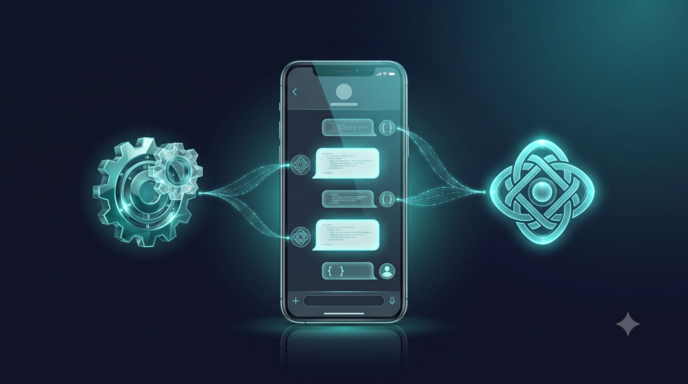
WhatsApp appointment reminders are automated, business-initiated messages that sync with booking or calendar systems to confirm, reschedule, or cancel appointments without manual outreach. They typically achieve far higher open rates than email, and when paired with interactive buttons, they let customers respond in seconds. Businesses deploy this pattern through various platforms to reduce no-shows and free front-desk staff from repetitive confirmation calls.
TL;DR:
- Outside the customer service window, which lasts 24 hours after a customer’s message, businesses must use approved templates; edits require a new submission.
- A phone number on a booking form does not count as consent; record explicit permission to message each recipient on WhatsApp before sending reminders.
- Single locations can start with calendar native tools or middleware, while direct API integration suits higher appointment volumes or stricter compliance needs.
- Send an immediate confirmation, a reminder about 24 hours before the appointment, and a final message one to two hours beforehand when same day absences are common.
- Track confirmation, rescheduling, and missed appointment rates before and after launch at each location to measure changes in attendance over time.
How WhatsApp reminders work and why they pay off
A reminder workflow pulls appointment data from a calendar or booking system, maps it into a message template, and sends it through the WhatsApp Business Platform at a scheduled interval before the appointment. The mechanism is simple, but the payoff depends on two things: delivery and response.
WhatsApp messages reach recipients through a channel people already check throughout the day, which explains why many businesses treat it as a default alternative to SMS and email for time-sensitive notices. The advantage multiplies when reminders include interactive buttons such as Confirm, Reschedule, or Cancel, because the customer’s tap updates the booking record automatically instead of generating a callback for staff.
Businesses that implement this pattern commonly report meaningful drops in no-show rates, though the exact figure depends on the industry, reminder cadence, and how well the templates are written.
- Reminders sent through WhatsApp tend to get read faster than the same message sent by email.
- Interactive buttons convert a reminder into a two-way exchange instead of a one-way notice.
- Tracking confirmation and reschedule rates shows whether a template is actually working.
A sourced note: Interactive message features built into the WhatsApp Business Platform let businesses attach reply buttons directly to reminder templates, which is the mechanism behind most automated confirm or reschedule flows.
Connecting booking systems to WhatsApp: integration paths
Most businesses choose between three integration paths, and the right one depends on technical capacity and the volume of appointments handled each week.
- Direct API integration connects a booking platform or CRM straight to the WhatsApp Business Platform, giving full control over templates, triggers, and webhook responses.
- Middleware tools such as Zapier or Pabbly sit between the calendar and WhatsApp, letting non-technical teams map fields and set triggers without writing code.
- Calendar-native flows, including browser extensions tied to Google Calendar or booking tools like Cal.com, work well for small teams that need a fast setup with minimal engineering.
Regardless of the path, the underlying workflow follows the same sequence: a new or updated booking triggers the flow, the system maps appointment details into a template, the message is scheduled for the chosen interval, it sends through WhatsApp, and any customer reply (a button tap or free text) routes back into the calendar or CRM to update status. Businesses evaluating middleware setups can find a practical walkthrough in this guide to compliant WhatsApp appointment reminders for SMBs, which covers calendar sync and reminder automation in more detail.
WhatsApp Business rules every reminder program must follow
WhatsApp’s platform rules draw a firm line between customer-initiated and business-initiated conversations, and that line governs what a reminder program can and cannot send. According to WhatsApp’s business policy, a 24-hour customer service window opens once a user sends a message; outside that window, businesses must use pre-approved message templates for any outbound communication, including reminders.
Templates go through an approval process before they can be used, and once approved, their content is fixed. Meta’s guidance on message templates confirms that changing wording after approval requires submitting an entirely new template, which can introduce delay if a business waits until launch to test copy.
Consent adds a second layer of constraint. Collecting a phone number on a booking form is not the same as obtaining consent to message that number on WhatsApp. Opt-in guidance from CPaaS providers recommends capturing and recording explicit consent separately from basic contact collection.
- The 24-hour window determines whether a free-form message or a template is required.
- Approved templates cannot be edited without a new submission and review cycle.
- Opt-in must be explicit and recorded, not inferred from a phone number field.
A sourced note: the 24-hour customer service window is the single rule most reminder programs violate first, usually by scheduling a message outside the window with an unapproved template.
Setting up WhatsApp reminders: three practical paths
The setup path should match the team’s technical capacity and the scale of the appointment volume.
- No-code or middleware setup: connect your calendar or booking tool to a workflow builder, map appointment fields (name, time, service) into an approved template, configure the trigger (new booking, X hours before appointment), and test with a small batch before full rollout.
- Calendar-native or browser-extension setup: link a Google Calendar or Cal.com account directly to a lightweight WhatsApp scheduling tool, which works well for single-location businesses sending a modest number of reminders daily.
- Direct API setup: apply for WhatsApp Business Platform access, submit and get approval for reminder templates, build webhook handlers for incoming replies, and integrate the API with your CRM so confirmations and reschedules update records automatically.
Before any path goes live, run through a short testing checklist: send sandbox messages to confirm formatting, verify template approval status, check that scheduled times respect the recipient’s timezone, and confirm opt-in records exist for every number in the send list. Skipping template testing is a common cause of dropped messages once a workflow reaches production, since there is no guaranteed queue holding messages until an unapproved template clears review.
Pro Tip: Build your first reminder template around a single use case, like a 24-hour confirmation, before adding reschedule or cancellation variants.
Best practices for timing, wording, and tracking results
A dependable reminder cadence usually includes an immediate booking confirmation, a reminder roughly 24 hours before the appointment, and a shorter follow-up one to two hours out for services where same-day no-shows are common.

Template wording should stay transactional: state the service, date, time, and location clearly, and avoid promotional language, since utility messages like reminders are treated differently from marketing content under platform pricing and quality rules. Mixing promotions into a reminder template risks opt-outs and can affect template quality scores.
Interactive buttons for Confirm, Reschedule, and Cancel turn each reminder into a data point rather than a one-way push, letting a reply automatically update the CRM or calendar without staff intervention.
- Track confirmation rate to see how many recipients actively respond.
- Track reschedule rate to spot scheduling friction or timing mismatches.
- Track no-show rate before and after launch to measure real impact.
A sourced note: interactive buttons are the feature most responsible for turning a static reminder into an automated confirmation loop, since each tap can trigger a calendar or CRM update without a phone call.
What enterprise rollouts teach us about realistic timelines
Enterprise deployments follow a more deliberate path than a single-location pilot, mainly because governance and compliance review take time. In our experience building WhatsApp chatbots for enterprise operations, a typical launch window runs 4 to 8 weeks, while a focused appointment scheduling pilot often launches in 4 to 6 weeks when the scope stays narrow.
Regulated customers frequently choose private cloud or on-premise deployment specifically for auditability and data control, since those environments keep message logs, consent records, and integration data within their own governance boundary.
An enterprise readiness checklist typically includes:
- Governance sign-off on template content and approval workflow.
- Documented consent records tied to each booking channel.
- Audit logs covering message sends, replies, and status changes.
- Integration tests confirming CRM and calendar updates fire correctly.
Why reminder automation belongs in an operations-first CX strategy
Appointment reminders are a repetitive, high-volume task, which makes them a natural first target for automation rather than a side project. Teams that treat reminders as an operations problem, not just a messaging feature, free staff time for work that actually requires judgment.
The right starting point depends on scale: middleware delivers a fast win for a single location, while direct API investment makes sense once volume or compliance requirements justify the engineering effort. A successful pilot shows up in two places: a measurable drop in no-shows and visibly less time spent on manual confirmation calls.
— Voiceracx
Automating WhatsApp reminders with VOICERAcx
Our platform supports businesses needing WhatsApp reminders that work at scale with governance suitable for regulated industries. The omnichannel automation connects WhatsApp alongside voice, SMS, and email, with CRM integration that updates appointment status the moment a customer taps Confirm or Reschedule. For organizations with stricter data control needs, private cloud and on-premise deployment options are offered alongside audit-ready logging for every message sent.
If you are planning a reminder rollout, start by scoping a single use case, such as 24-hour confirmations for one location, then collect opt-in records and submit templates for approval before testing the full workflow.
- Identify one appointment type or location for the initial pilot.
- Collect and document explicit opt-in before sending any reminder.
- Request template approval early so copy changes do not delay launch.
Explore our AI Chat Agents product page to see how a reminder workflow fits into a broader customer engagement setup, or reach out to schedule a demo scoped to your booking volume.
FAQ
Can you schedule reminders on WhatsApp?
Yes, businesses can schedule WhatsApp reminders through the WhatsApp Business Platform by connecting a calendar or booking system to an approved message template and setting a trigger time. The message sends automatically once the scheduled interval, such as 24 hours before an appointment, is reached.
How do I create a meeting reminder in WhatsApp?
Creating a meeting reminder requires an approved message template, a trigger tied to your calendar or booking data, and a scheduling tool or API integration to send the message at the right time. Many teams start with a middleware tool like Zapier or Pabbly before moving to direct API integration as volume grows.
How do I ask for an appointment in a message on WhatsApp?
A business-initiated appointment message must use an approved template if it falls outside the 24-hour window that opens after a customer’s last message, as outlined in WhatsApp’s business policy. Keep the message transactional, state the proposed time clearly, and include a way for the customer to confirm or request a different slot.
How do I set up a scheduled message on WhatsApp?
Setting up a scheduled message involves connecting a data source, such as a calendar, to a workflow tool or the WhatsApp Business API, mapping the appointment details into an approved template, and configuring the send time relative to the appointment. Testing the schedule against different timezones before launch helps avoid messages arriving at the wrong local time.
Do I need customer consent before sending WhatsApp reminders?
Yes, explicit opt-in is required before sending business-initiated WhatsApp messages, and collecting a phone number on a booking form is not sufficient on its own. Opt-in guidance from CPaaS providers recommends capturing and recording consent as a separate, auditable step.
Sources
- Política de Negócios | WhatsApp Business
- Facebook Business Help — Message templates and approvals
- WhatsApp opt-in guide — Tata Communications knowledge base