4–6 Week Pilot: Appointment Scheduling Bots for SMBs with Private Cloud
Run a 4–6 week pilot to reduce no shows using research backed reminders, calendar sync, and private cloud options tailored for SMBs.
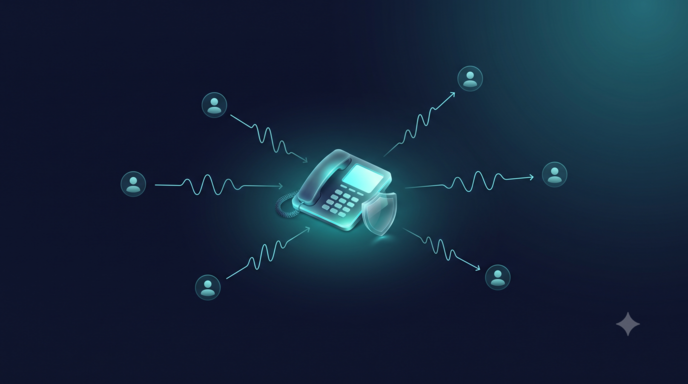
An AI appointment scheduling bot automates 24/7 bookings, syncs with calendars and CRM systems, and reduces no-shows through automated reminders. Service-sector SMBs, including clinics, salons, and professional practices, benefit most, recovering staff hours previously spent on phone tag. A first deployment should deliver calendar sync, two-way rescheduling, and at least one automated reminder sequence within weeks.
TL;DR:
- Ensuring calendar sync includes conflict avoidance is crucial to prevent double bookings due to manual staff updates.
- Implementing multiple reminder messages at different intervals significantly reduces no-show rates based on meta-analysis findings.
- Starting with a limited channel set and testing across time zones helps validate the booking flow before full deployment.
- Integrating with CRM, telephony, and adopting strict privacy practices ensures secure, accurate, and compliant scheduling automation.
- Automation is most effective for routine bookings with predictable patterns; complex or sensitive cases still require human handling.
What appointment scheduling bots are and how they work
An appointment scheduling bot is a conversational interface, built on natural language processing, that lets customers find open time slots, book, reschedule, or cancel without a staff member on the line. The bot interprets a request (“I need a dentist appointment next Tuesday afternoon”), checks calendar availability in real time, proposes slots, and confirms the booking, then triggers reminder messages ahead of the visit.
Underneath, three components typically work together: a natural language layer that parses intent, a scheduling engine that reads and writes to the business calendar, and a notification system that handles confirmations and reminders. A typical booking flow runs: customer message received, intent classified as “book appointment,” available slots pulled from the connected calendar, customer confirms, event created, confirmation and reminder scheduled.

Most scheduling bots operate across multiple channels at once: website chat widgets, WhatsApp, SMS, and increasingly voice, so a customer can book the same appointment whether typing on a phone or calling in.
Key features to evaluate when choosing a scheduling bot
Not every scheduling bot on the market handles the full booking lifecycle well. Before committing to a trial, confirm the tool covers these items:
- Calendar sync with conflict avoidance, so double bookings do not slip through when staff also add events manually.
- Two-way rescheduling and cancellation workflows that let customers change a booking without calling the front desk.
- Configurable reminder cadence, since a single reminder is weaker than a sequence sent at different intervals before the visit.
- Custom intake fields and payment capture, so the bot gathers the information staff actually need before the appointment.
- Reporting on bookings, cancellations, and no-show rates, so managers can track whether automation is working.
- Security and deployment options suited to data sensitivity, particularly for healthcare or financial services handling regulated personal information.
A demo that cannot show live conflict detection or a real reschedule flow is not ready for a production pilot.
Business benefits and research: expected ROI and impact on no-shows
Missed appointments are an expensive, recurring problem. Industry reporting citing aggregate industry data has placed the annual cost of missed appointments to providers at roughly $150 billion, a figure that illustrates the scale of the problem scheduling automation is built to address.
Electronic reminders measurably improve attendance. A systematic review and meta-analysis found that digital text reminders improve appointment attendance and reduce no-shows, with multiple notifications sent at different intervals increasing attendance more than a single reminder, as supported by meta-analyses. Pooled no-show rates in some of the reviewed studies were lower among patients who received reminders, compared with control groups.
For SMBs building a business case, three KPIs translate this research into something trackable: the no-show rate before and after automation, bookings completed per staff hour, and the reminder-response rate (how many customers confirm, reschedule, or cancel after a reminder rather than simply not showing up). Together, these numbers turn a reminder sequence into a revenue-recovery calculation rather than a guess.
Integrations and data flow: calendars, CRM, telephony, and privacy checklist
A scheduling bot is only as useful as the systems it connects to. The core integrations an SMB needs are calendar platforms (for availability and booking events), a CRM (for customer history and follow-up), and telephony (for voice channel bookings and call-based reminders). Each sync typically moves a defined set of fields: contact details, appointment time, service type, and status (confirmed, rescheduled, canceled, completed).
Most integrations authenticate through OAuth tokens tied to the connected calendar or CRM account, and updates sync either through webhooks, which push changes instantly, or polling, which checks for changes on a schedule. Before launching a pilot, confirm these privacy basics:
- Where booking data is stored and whether it stays within a specific region.
- Who has access to intake form responses and appointment notes.
- Whether customers gave consent to receive SMS, WhatsApp, or voice reminders.
- How long booking records are retained after the appointment date.
Implementation checklist and pilot plan for SMBs
A scheduling bot pilot works best as a short, measured test rather than a full rollout. Follow this sequence:
- Define goals and KPIs. Pick one or two measurable outcomes, typically no-show rate and bookings per staff hour, before building anything.
- Choose the minimum viable channel set. Start with one booking channel (commonly web chat or SMS) and one calendar integration rather than connecting everything at once.
- Connect the calendar and test time zones. Run sample bookings across different days to confirm daylight-saving and time-zone handling works, since this is a common source of double bookings in early pilots.
- Build a short intake form. Capture only the fields staff actually use during the visit.
- Run test booking scenarios. Simulate a new booking, a reschedule, and a cancellation before opening the bot to real customers.
- Set two reminders at different intervals (for example, 48 hours and 3 hours before the appointment), consistent with research showing multiple notifications outperform a single reminder.
- Run the pilot for a defined window, typically 4 to 6 weeks, with a large enough sample of bookings to compare no-show rates meaningfully against the prior period.
- Review results against the success thresholds set in step 1, then expand channels or integrations only after the core flow is stable.
Pro Tip: Run the pilot on your lowest-volume location or service line first, so a scheduling error affects a handful of bookings instead of your busiest week.
The most common pitfall is skipping the time-zone test and discovering double bookings after launch. The second most common is setting reminder cadence too aggressively, which can read as spam rather than a helpful nudge.
Voiceracx: real-world deployment options and proof points
Our platform maps directly to this checklist: omnichannel AI agents handle web, WhatsApp, SMS, and voice bookings, calendar and CRM integrations keep scheduling data synchronized, and our Vee Dialer supports outbound reminder and reschedule campaigns. We offer cloud, private cloud, and on-premise deployment, giving regulated sectors full control over where appointment data lives and who can access it.
Use cases and industries for SMBs
Appointment scheduling bots fit any SMB whose revenue depends on filled time slots. In healthcare, a clinic or dental practice uses a bot to book routine visits, send pre-visit intake forms, and remind patients across SMS and voice, often integrating with existing patient record systems. In professional services, law firms, accounting practices, and consultants use booking bots to schedule consultations and automatically block preparation time around each meeting.
Retail and personal care businesses, salons, spas, and repair shops, rely on scheduling bots to fill appointment-based services like haircuts, fittings, or equipment servicing, where a no-show represents lost labor time that cannot be resold that day. Fitness studios and tutoring services use similar flows to manage class or session bookings with recurring reminder sequences.
Across these sectors, the common thread is a service that requires a fixed slot of staff time: the tighter that slot, the more a missed appointment costs relative to a missed retail sale. SMBs in appointment-dependent categories tend to see automation pay off fastest because every recovered slot is directly billable, not just a convenience.

User experience design best practices for higher engagement and booking rates
A scheduling bot that is accurate but clumsy to use will still lose bookings. The first design priority is minimizing steps: a customer should be able to see available times and confirm a booking in as few exchanges as possible, without re-entering information the bot already has.
Conversational tone matters more than it might seem. A bot that sounds stiff or overly formal creates friction at the exact moment a customer is deciding whether to complete a booking; reminder and confirmation copy should read like a helpful staff member wrote it, not a system notification. Clear, specific confirmation messages, stating the exact date, time, and location rather than a generic “your appointment is booked”, reduce confusion and follow-up calls.
Offering a visible fallback to a human agent, rather than trapping the customer in a bot loop when a request is unusual, keeps frustrated customers from abandoning the booking altogether. Finally, mobile-first design is not optional: most scheduling conversations happen on a phone, so forms and confirmation screens need to render cleanly on a small screen without horizontal scrolling or tiny tap targets.
Handling cancellations and no-shows effectively through the bot
A scheduling bot’s value is not just in booking appointments. It is in recovering the slot when a booking falls through. An effective cancellation flow lets the customer cancel or reschedule directly through the same channel they booked in, immediately releasing the slot back into availability rather than leaving it blocked until staff notice.
For no-shows specifically, the bot should trigger a short, non-punitive follow-up message offering an easy rebooking link, since a missed visit is often simply a scheduling conflict rather than a lost customer. Pairing this with a waitlist feature, where customers can opt in to be notified if an earlier slot opens up, helps fill gaps created by last-minute cancellations.
Tracking cancellation and no-show patterns by day, time, and service type also helps identify where reminder timing needs adjusting, since certain appointment types or days of the week often show consistently higher no-show rates than others.
Common challenges and troubleshooting tips during deployment
The most frequent deployment problem is calendar sync failures, usually caused by expired authentication tokens or mismatched time-zone settings between the bot and the underlying calendar system. Testing bookings across multiple time zones and daylight-saving transitions before launch catches most of these issues early.
A second common challenge is intake form abandonment, where customers start a booking but drop off because the form asks for too much information up front. Trimming the intake form to only what staff need before the visit, and collecting secondary details after confirmation, usually recovers these bookings.
Integration lag between the bot and CRM can also create duplicate customer records or missed follow-ups; confirming whether the sync runs on webhooks or polling, and how quickly changes propagate, helps set realistic expectations before launch. Finally, reminder fatigue, where customers opt out after receiving too many messages, is best avoided by testing reminder frequency during the pilot rather than assuming more reminders are always better.
Future trends and emerging technologies in appointment scheduling bots
Predictive modeling is moving from research into practice. A rapid systematic review found that predictive-model-based reminders, phone calls, and navigator outreach probably reduce no-shows beyond standard reminders alone, with phone-call interventions showing a median no-show risk ratio of roughly 0.61 across several studies. The same review noted that evidence gaps remain on cost-effectiveness and equity, so SMBs should treat predictive targeting as a later-stage upgrade rather than a starting point.
Voice AI is also becoming more capable of handling natural, conversational booking calls rather than rigid menu-driven IVR trees, narrowing the experience gap between calling a business and chatting with it online. Tighter integration between scheduling bots and broader customer engagement platforms, where a booking conversation can also handle a billing question or a service inquiry in the same thread, is likely to become standard rather than a premium feature over the next few years.
When a bot is the right choice (and when humans should handle booking)
Bots handle routine, predictable bookings well: standard visit lengths, clear service menus, repeat customers. Complex cases, unusual requests, or emotionally sensitive appointments need a human, with an escalation trigger built into the flow. The strongest setups route confidently, not everything, to automation.
— Voiceracx
Quick CTA: try Voiceracx for scheduling automation
If missed appointments and after-hours calls are costing your team billable hours, our AI Chat Agents handle booking, rescheduling, and reminders across web, WhatsApp, and SMS, while our Vee Dialer manages outbound reminder calls at scale.
Explore our scheduling and engagement tools to see which plan fits your booking volume and team size.
FAQ
What is the best appointment scheduling tool?
The best tool depends on your channels and compliance needs: a simple SMB wants calendar sync and reminders, while a regulated business needs private cloud or on-premise deployment options. Compare vendors on rescheduling flow, reminder cadence, and integration depth rather than price alone.
Is there an AI appointment setter?
Yes, AI appointment setters exist as chat or voice bots that handle booking, confirmation, and rescheduling without a staff member on the line. Our AI Voice Agents and chat agents are built specifically for this kind of automated scheduling conversation.
Can AI make me a daily schedule?
An AI scheduling bot can organize bookings into a daily calendar view once appointments are confirmed, syncing automatically with the calendar staff already use. It will not plan personal tasks unrelated to bookings unless paired with a broader productivity tool built for that purpose.
How can I automate appointment scheduling?
Start by connecting a scheduling bot to your existing calendar and CRM, then set up at least two reminder messages at different intervals before each appointment, since research shows multiple reminders improve attendance more than a single notification. Run a short pilot on one channel before expanding to voice, SMS, and web chat together.
Sources
- Using digital notifications to improve attendance in clinic: systematic review and meta-analysis
- Rapid systematic review: predictive model-based interventions to reduce outpatient no-shows
- Missed appointments cost providers $150 billion annually, report says