Audit Ready WhatsApp Support: No Custom Integrations Needed
A compliance first playbook for enterprise WhatsApp support: capture consent, use WORM archival, handle the 24 hour window, and keep delivery status...
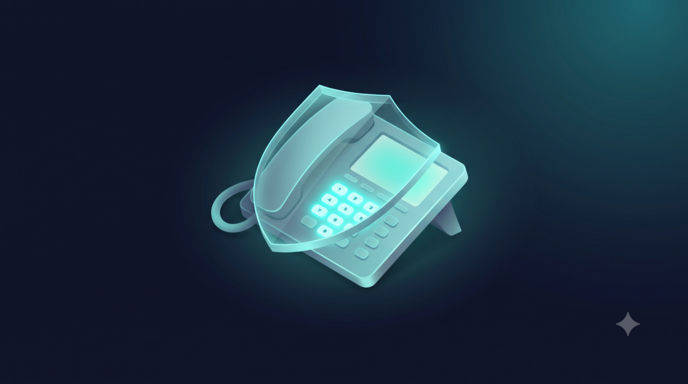
Enterprise WhatsApp customer support should run on the official WhatsApp Business API or a certified enterprise automation platform, never on an unofficial connector. The single capability worth demanding above all others is a combination: consent capture tied to user records, disciplined template governance, and delivery-status monitoring with archival for audit purposes. We built VOICERAcx around exactly this combination for regulated contact centers.
TL;DR:
- Using unofficial connectors risks account suspension and does not comply with WhatsApp’s terms; enterprise support must rely on the official API or certified platforms.
- A proper deployment requires complete business account setup, template approval, consent capture across all channels, and careful sequencing of provisioning, testing, and pilot runs.
- Enterprises are responsible for storing, archiving, and managing message data according to GDPR, CCPA, and industry-specific regulations, including immutable, searchable, and role-based access controls.
- Cost hinges on message categories and markets, with free service messages during the 24-hour window; tracking template quality and rejection rates is crucial to avoid disruptions.
- A comprehensive platform like VOICERAcx simplifies compliance, consent management, routing, and archival, accelerating deployment and reducing integration complexity for regulated industries.
What a production-ready WhatsApp support deployment requires
Before a single message reaches a customer, we need the underlying infrastructure configured correctly. Skipping these steps creates compliance gaps and operational failures that surface only after volume scales.
The foundation rests on a small set of non-negotiables:
- Use the official WhatsApp Business API or a certified CPaaS partner; unofficial connectors violate WhatsApp’s terms and expose enterprises to account suspension.
- Complete WhatsApp Business Account (WABA) setup and display name verification before routing production traffic.
- Submit message templates through the approval lifecycle and track rejection reasons so resubmissions do not stall launch timelines.
- Capture consent at every entry point, including web forms, mobile apps, IVR prompts, and in-store QR codes, and tie each record to a canonical customer profile.
Once the technical setup is in place, we sequence the rollout:
- Provision the WABA and verify the business display name.
- Build and submit core templates (order updates, appointment reminders, authentication codes).
- Wire consent capture into every acquisition channel and confirm revocation paths work end to end.
- Configure bot-first routing with clear escalation rules to human agents.
- Run a controlled pilot before opening the channel to full volume.
Pro Tip: Assign one owner for template governance across legal, product, and operations so approval delays do not block campaign launches.
Bot-first routing works best when the automation layer handles identity verification, intent classification, and simple transactions, escalating only when confidence drops or the customer explicitly asks for a person.
Data control, archival, and the compliance checklist enterprises miss
WhatsApp’s transport-level encryption protects messages in transit, but it does not relieve enterprises of their obligations once those messages land in internal systems. At that point, the enterprise becomes a data controller, subject to GDPR, CCPA, and sector-specific rules depending on industry and jurisdiction.

Consent is the foundation of this responsibility. GDPR and CCPA require opt-ins that are clear, trackable, and revocable, and enterprises must record when and where each customer agreed to be contacted, according to compliance guidance on WhatsApp in the contact center. A revocation that cannot be actioned within the same system that recorded the original consent is not a functioning control.
A compliance checklist that holds up under audit includes:
- Immutable, WORM-compliant archives that satisfy retention schedules for the applicable regulation (GDPR, HIPAA, PCI DSS, or industry-specific rules).
- Searchable logs with eDiscovery hooks so legal teams can respond to holds without manual export work.
- Consent-proofing fields: source channel, timestamp, language, and a linked revocation record.
- Role-based access control and audit logs covering every agent and system that touches message content.
Enterprises remain fully responsible for storage and archival once messages enter their systems, since WhatsApp’s transit encryption does not extend to retention or audit requirements, per the UC Today compliance analysis.
How message templates and the 24-hour window shape cost and workflow
WhatsApp distinguishes between session messages, which open during a free-form 24-hour window after a customer initiates contact, and pre-approved templates, which are required to start or reopen a conversation outside that window, according to Bird’s documentation on templates and session messages. Getting this distinction wrong either blocks replies or triggers unnecessary template charges.
Pricing and permitted content both depend on message category:
- Utility messages cover transactional updates like shipping confirmations or appointment changes.
- Authentication messages deliver one-time passcodes and short-lived verification codes.
- Marketing messages carry promotional content and face stricter approval scrutiny.
- Service messages, sent within the free session window, typically carry no per-message charge.
WhatsApp’s published rate card confirms that charges apply by category and market, with free windows available for service messages and certain entry points. Template time-to-live values should match the use case: short windows for one-time codes, longer windows for transactional updates, each routed through a legal and product approval workflow before launch.
Pro Tip: Monitor template quality ratings closely; Meta can disable a template after repeated negative user feedback, so track block and report rates as an operational KPI, not an afterthought.
The integration architecture that keeps WhatsApp support reliable
Reliable WhatsApp support depends on data flowing correctly in both directions, not just on message delivery. Two subscriptions are required, not optional: the inbound message webhook and the outbound delivery-status subscription. Without the delivery-status feed, agents lose visibility into failed sends and read receipts, according to Microsoft’s Dynamics 365 Contact Center documentation.
Identity mapping introduces its own complexity. WhatsApp exposes a Business-Scoped User ID (BSUID) rather than a stable phone number in some configurations, so routing and CRM-matching logic must handle BSUID formats and fallback cases where a phone number is unavailable.
| Integration point | Function | Operational risk if missing |
|---|---|---|
| Inbound message webhook | Receives customer messages in real time | Delayed or lost customer replies |
| Delivery-status subscription | Reports sent, delivered, read, failed states | Agents blind to failed deliveries |
| BSUID-to-CRM mapping | Links WhatsApp identity to customer record | Broken personalization and duplicate profiles |
| Archival pipeline | Ingests, indexes, and stores messages in WORM format | Non-compliance with retention rules |
The archival pipeline itself needs three stages: ingestion as messages arrive, indexing for searchability, and WORM storage with eDiscovery hooks for legal hold requests. Connectors to the help desk, workforce management system, and analytics layer complete the architecture, letting bots and human agents hand off conversations without losing context. For teams building these flows, InteractFlow supports workflow automation and template-driven routing without custom integration work, and the same patterns apply to broader CRM and ticketing connectors used across contact center operations. Third-party frameworks for workflow automation in professional services illustrate similar patterns applied outside the contact center context.
Operational patterns that protect SLAs and control cost
Running WhatsApp support well day to day comes down to a short set of operational disciplines:
- Define WhatsApp-specific workstreams with skill-based routing so authentication issues, billing questions, and general inquiries reach the right queue.
- Build alerting that flags conversations approaching the 24-hour inactivity threshold, giving agents time to respond before the window closes and a template becomes necessary.
- Deflect routine queries through bot-first automation, escalating to a human agent only when confidence is low or the customer requests one.
- Use approved templates to re-engage customers after the window closes, rather than letting conversations go stale.
- Track delivery failures in real time and route them through fallback channels when WhatsApp delivery is not possible, as recommended in Dynamics 365’s configuration guidance.
Pro Tip: Report session reopen rate, template success rate, delivery failure rate, and template disablement incidents together on one dashboard; viewed separately, they hide the trade-offs between cost and responsiveness.
Template governance deserves ongoing attention rather than a one-time setup. Zendesk’s guidance on WhatsApp template messages notes that templates can be rejected or disabled, and admins need a clear path to edit, appeal, or recreate them without disrupting live workflows.

Platform versus assemble: what enterprises should weigh
Assembling a WhatsApp support stack from separate API, CRM, and archival vendors gives granular control but multiplies integration and compliance work across every layer. A unified platform compresses that timeline by centralizing consent tracking, template governance, and delivery-status monitoring in one system of record.
The trade-off favors a platform when regulatory exposure is high and internal engineering capacity is limited: faster time-to-value, consistent governance across channels, and audit-ready records without custom-building each integration point. VOICERAcx was built for this trade-off, offering cloud, private cloud, and on-premise deployment options for enterprises that need direct control over where message data lives.
— Voiceracx
Deploy enterprise WhatsApp support with VOICERAcx
Everything covered above, consent tracking, template governance, delivery-status monitoring, and archival, is built into how we operate AI Chat Agents across WhatsApp and other digital channels. Our platform routes conversations between bots and human agents, maps identity across CRM systems, and supports cloud, private cloud, or on-premise deployment for enterprises that need full data control.
For regulated industries weighing where WhatsApp data should live, Vee Enterprise provides private cloud and on-premise options alongside the governance and audit features contact centers need to pass compliance review. If your team is ready to move from a checklist to a working deployment, talk to our team about Vee Enterprise and we will walk through how the integration pieces map to your existing CRM and ticketing systems.
FAQ
What is the official way to offer WhatsApp customer support?
Enterprises should connect through the official WhatsApp Business API or a certified enterprise automation platform rather than an unofficial connector, which risks account suspension. A compliant setup includes consent capture, approved message templates, and delivery-status monitoring from day one.
What happens after the 24-hour WhatsApp session window closes?
Once 24 hours pass without a customer message, businesses can no longer send free-form replies and must use a pre-approved template to restart the conversation, according to Bird’s documentation. Template messages fall into categories such as utility, authentication, marketing, and service, each with different approval requirements and pricing.
How much does WhatsApp Business API messaging cost?
Pricing is charged per message based on category and market, with WhatsApp’s own rate card confirming that service messages and certain entry-point windows can be free while other template categories carry a charge. Enterprises evaluating a platform should also budget for automation and agent-seat costs separately from WhatsApp’s own per-message fees.
Is WhatsApp customer support compliant with GDPR and HIPAA?
WhatsApp’s transit encryption does not remove an enterprise’s own obligations as a data controller once messages enter internal systems, so compliance depends on the surrounding architecture rather than the channel itself, per UC Today’s compliance analysis. Meeting GDPR, HIPAA, or similar rules requires consent tracking, immutable archival, and role-based access controls built around the messaging layer.
What does the platform charge for WhatsApp automation?
Pricing starts with the Basic plan at $199 per month, with Standard, Advance, and Pro tiers available at $249, $399, and $999 per month respectively, plus a Pay As You Go option and a Free tier. Chat sessions are billed at $0.18 per session, and enterprise deployments with private cloud or on-premise requirements are priced through Vee Enterprise.
Sources
- WhatsApp compliance in the contact center: building trust without slowing CX - UC Today
- Message templates & session messages - Bird docs
- Configure WhatsApp ACS - Dynamics 365 Contact Center docs
- Working with WhatsApp template messages - Zendesk Help